LangOwl
LangOwl
Quiz Master
CEFR levels • XP • Missions • Stats

Learn words
remember them

LangOwl turns vocabulary practice into a structured game: choose your level, pick a mode, and train with massive topic libraries and quiz packs.


Free Forever
No Account Needed
Offline Mode
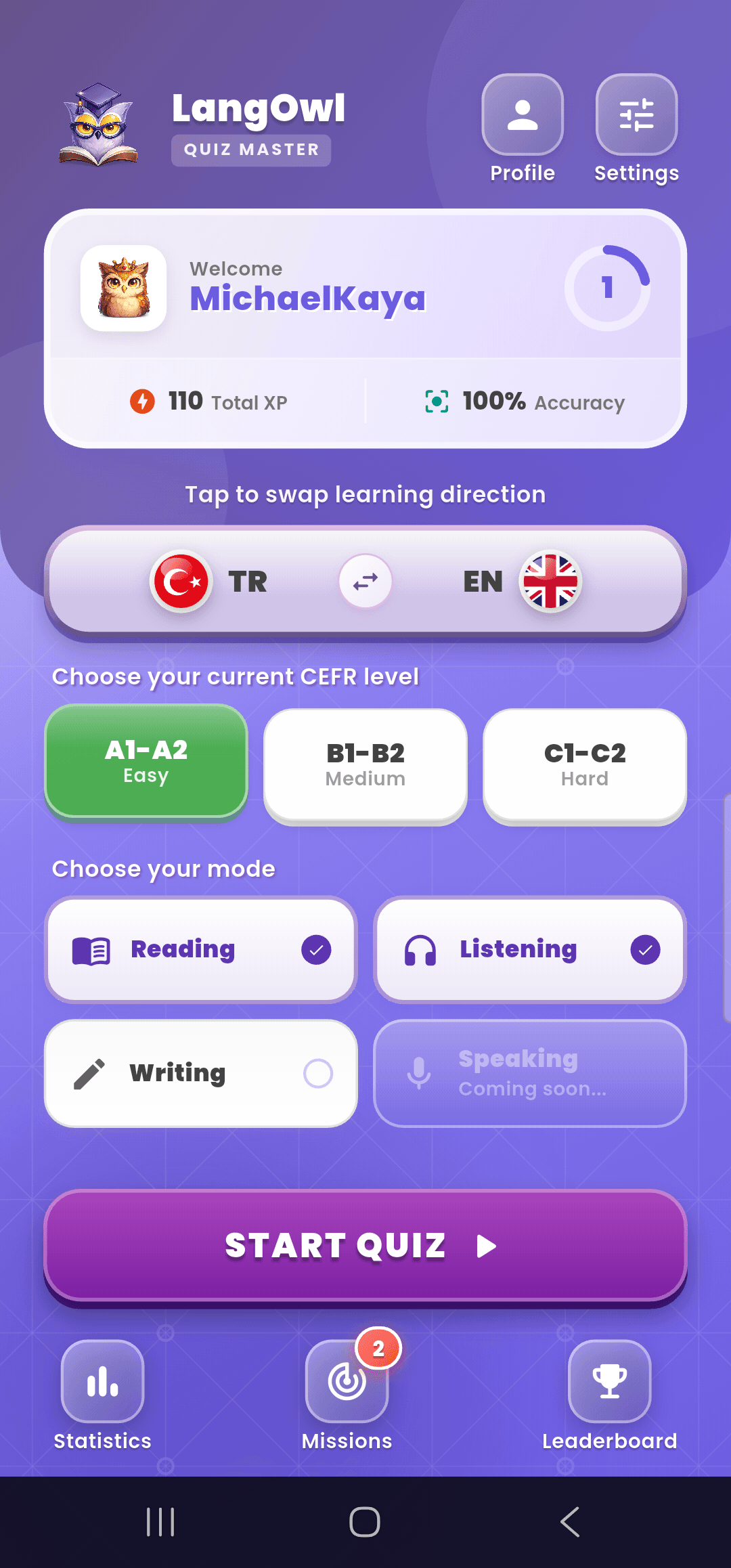
LangOwl App Interface

Highlights

Not just quizzes — a structured system designed to build real vocabulary across levels and skills.

4 modes: Reading • Listening • Writing • Speaking

Train the skill you want — or mix modes for variety during a session.

Reading
Listening
Writing
Speaking

CEFR Levels

Pick your level (A1–A2, B1–B2, C1–C2) and see your accuracy, streaks and progress improve.

A1-A2
B1-B2
C1-C2
Gamified Learning

A clean path from A1 to C2 — with modes that match your goal

Choose direction, select your level, pick a mode and start training. LangOwl keeps it simple, measurable and motivating.

Smart repetition mindsetReading modeListening (TTS)Writing modeSpeaking modeXP • Missions • Stats

Current Session

Active
Words Learned1,240
Accuracy94%

How it works

1

Choose learning direction

Select the language pair you want to practice (e.g., EN → TR or TR → EN).

2

Choose your current level

Pick the CEFR level that matches you best: A1–A2, B1–B2 or C1–C2.

3

Choose the mode to improve

Focus on Reading, Listening, Writing or Speaking — or combine modes for a varied session.

4

Start training with massive quiz packs

Explore dozens of categories and hundreds of thousands of quiz packs to test and grow your vocabulary.

FAQ

Is the app free?
Yes. Downloading the app is completely free — and it always will be.
Do I need an account to use the app?
No. Creating an account is optional. You can use LangOwl as a guest.
Is membership paid? What are the benefits?
Membership is completely free. With an account, you won’t lose your progress and you can continue on other devices by signing in.
Which platforms is the app available on?
LangOwl is available on Android and iOS.
What is Reading mode?
In Reading mode, you read the question and choose or enter the correct answer.
What is Listening mode?
In Listening mode, you hear the question via TTS and answer by listening.
What is Writing mode?
In Writing mode, you type the answer instead of selecting from multiple choices.
What is Speaking mode?
In Speaking mode, you answer by speaking your response.